All Stories
Memaparkan catatan dengan label Hacking. Papar semua catatan

Rabu, 4 November 2015


Pengalaman saat disuruh buat angka dan bilangannya dari 1 - 1000 nah, dari situ saya mulai berfikir. Kalo diketik manual satu-satu  pasti cape dan bikin pusing, tp Akhirnya setelah saya bersemedi munculah code yg sangat bermanfaat. Langsung aja  praktekin .... : 

  1. Start Microsoft Excel.
  2. Tekan ALT+F11 untuk membuka Visual Basic Editor.
  3. Klik Insert menu, pilih  Module.
  4. Copy code dibawah ke module sheet
Option Explicit
'Main Function
Function SpellNumber(ByVal MyNumber)
    Dim Dollars, Cents, Temp
    Dim DecimalPlace, Count
    ReDim Place(9) As String
    Place(2) = " Thousand "
    Place(3) = " Million "
    Place(4) = " Billion "
    Place(5) = " Trillion "
    ' String representation of amount.
    MyNumber = Trim(Str(MyNumber))
    ' Position of decimal place 0 if none.
    DecimalPlace = InStr(MyNumber, ".")
    ' Convert cents and set MyNumber to dollar amount.
    If DecimalPlace > 0 Then
        Cents = GetTens(Left(Mid(MyNumber, DecimalPlace + 1) & _
                  "00", 2))
        MyNumber = Trim(Left(MyNumber, DecimalPlace - 1))
    End If
    Count = 1
    Do While MyNumber <> ""
        Temp = GetHundreds(Right(MyNumber, 3))
        If Temp <> "" Then Dollars = Temp & Place(Count) & Dollars
        If Len(MyNumber) > 3 Then
            MyNumber = Left(MyNumber, Len(MyNumber) - 3)
        Else
            MyNumber = ""
        End If
        Count = Count + 1
    Loop
    Select Case Dollars
        Case ""
            Dollars = "No Dollars"
        Case "One"
            Dollars = "One Dollar"
         Case Else
            Dollars = Dollars & " Dollars"
    End Select
    Select Case Cents
        Case ""
            Cents = " and No Cents"
        Case "One"
            Cents = " and One Cent"
              Case Else
            Cents = " and " & Cents & " Cents"
    End Select
    SpellNumber = Dollars & Cents
End Function
      
' Converts a number from 100-999 into text 
Function GetHundreds(ByVal MyNumber)
    Dim Result As String
    If Val(MyNumber) = 0 Then Exit Function
    MyNumber = Right("000" & MyNumber, 3)
    ' Convert the hundreds place.
    If Mid(MyNumber, 1, 1) <> "0" Then
        Result = GetDigit(Mid(MyNumber, 1, 1)) & " Hundred "
    End If
    ' Convert the tens and ones place.
    If Mid(MyNumber, 2, 1) <> "0" Then
        Result = Result & GetTens(Mid(MyNumber, 2))
    Else
        Result = Result & GetDigit(Mid(MyNumber, 3))
    End If
    GetHundreds = Result
End Function
      
' Converts a number from 10 to 99 into text. 
Function GetTens(TensText)
    Dim Result As String
    Result = ""           ' Null out the temporary function value.
    If Val(Left(TensText, 1)) = 1 Then   ' If value between 10-19...
        Select Case Val(TensText)
            Case 10: Result = "Ten"
            Case 11: Result = "Eleven"
            Case 12: Result = "Twelve"
            Case 13: Result = "Thirteen"
            Case 14: Result = "Fourteen"
            Case 15: Result = "Fifteen"
            Case 16: Result = "Sixteen"
            Case 17: Result = "Seventeen"
            Case 18: Result = "Eighteen"
            Case 19: Result = "Nineteen"
            Case Else
        End Select
    Else                                 ' If value between 20-99...
        Select Case Val(Left(TensText, 1))
            Case 2: Result = "Twenty "
            Case 3: Result = "Thirty "
            Case 4: Result = "Forty "
            Case 5: Result = "Fifty "
            Case 6: Result = "Sixty "
            Case 7: Result = "Seventy "
            Case 8: Result = "Eighty "
            Case 9: Result = "Ninety "
            Case Else
        End Select
        Result = Result & GetDigit _
            (Right(TensText, 1))  ' Retrieve ones place.
    End If
    GetTens = Result
End Function
     
' Converts a number from 1 to 9 into text. 
Function GetDigit(Digit)
    Select Case Val(Digit)
        Case 1: GetDigit = "One"
        Case 2: GetDigit = "Two"
        Case 3: GetDigit = "Three"
        Case 4: GetDigit = "Four"
        Case 5: GetDigit = "Five"
        Case 6: GetDigit = "Six"
        Case 7: GetDigit = "Seven"
        Case 8: GetDigit = "Eight"
        Case 9: GetDigit = "Nine"
        Case Else: GetDigit = ""
    End Select
End Function

6.  Sekarang tinggal buka sheet baru, trus ketikan angka yang diinginkan 
7.  Ketika rumus berikut : 
     Untuk angka berbentuk uang   ( =spellnumber("Cell_angka")
     Untuk angka satuan                  ( =getdigit("cell_angka")
     Untuk angka puluhan               ( =gettens("cel_angka")
     Untuk angka ratusan                ( =gethundreds("cell_angka")
     
Nah itu buat yang bahasa inggris , klo bahasa indonesia gimana? tenang saya juga udah punya caranya, simak baik-baik : 
1. Download dulu add-in terbilang DISINI 
2. Extract terbilang.rar tadi di lokasi yang mudah dicari misal Documents
3. Sekarang buka excel 
4. Klik options > Add-in > klik Go > browse > pilik file terbilang tadi > ok 


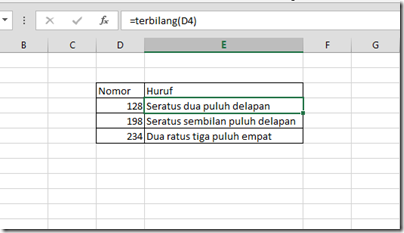
5. Nah sekarang tinggal masukin rumusnya  aja (=terbilang("cell_angka") 

6. Selesai ..... 

Gampang bukan?... 


Cara convert sebuah angka ke bilangan dalam bahasa inggris dan bahasa indonesia di Microsoft Excel 2003 2007 2010 2013 2016


Pengalaman saat disuruh buat angka dan bilangannya dari 1 - 1000 nah, dari situ saya mulai berfikir. Kalo diketik manual satu-satu  pasti cape dan bikin pusing, tp Akhirnya setelah saya bersemedi munculah code yg sangat bermanfaat. Langsung aja  praktekin .... : 

  1. Start Microsoft Excel.
  2. Tekan ALT+F11 untuk membuka Visual Basic Editor.
  3. Klik Insert menu, pilih  Module.
  4. Copy code dibawah ke module sheet
Option Explicit
'Main Function
Function SpellNumber(ByVal MyNumber)
    Dim Dollars, Cents, Temp
    Dim DecimalPlace, Count
    ReDim Place(9) As String
    Place(2) = " Thousand "
    Place(3) = " Million "
    Place(4) = " Billion "
    Place(5) = " Trillion "
    ' String representation of amount.
    MyNumber = Trim(Str(MyNumber))
    ' Position of decimal place 0 if none.
    DecimalPlace = InStr(MyNumber, ".")
    ' Convert cents and set MyNumber to dollar amount.
    If DecimalPlace > 0 Then
        Cents = GetTens(Left(Mid(MyNumber, DecimalPlace + 1) & _
                  "00", 2))
        MyNumber = Trim(Left(MyNumber, DecimalPlace - 1))
    End If
    Count = 1
    Do While MyNumber <> ""
        Temp = GetHundreds(Right(MyNumber, 3))
        If Temp <> "" Then Dollars = Temp & Place(Count) & Dollars
        If Len(MyNumber) > 3 Then
            MyNumber = Left(MyNumber, Len(MyNumber) - 3)
        Else
            MyNumber = ""
        End If
        Count = Count + 1
    Loop
    Select Case Dollars
        Case ""
            Dollars = "No Dollars"
        Case "One"
            Dollars = "One Dollar"
         Case Else
            Dollars = Dollars & " Dollars"
    End Select
    Select Case Cents
        Case ""
            Cents = " and No Cents"
        Case "One"
            Cents = " and One Cent"
              Case Else
            Cents = " and " & Cents & " Cents"
    End Select
    SpellNumber = Dollars & Cents
End Function
      
' Converts a number from 100-999 into text 
Function GetHundreds(ByVal MyNumber)
    Dim Result As String
    If Val(MyNumber) = 0 Then Exit Function
    MyNumber = Right("000" & MyNumber, 3)
    ' Convert the hundreds place.
    If Mid(MyNumber, 1, 1) <> "0" Then
        Result = GetDigit(Mid(MyNumber, 1, 1)) & " Hundred "
    End If
    ' Convert the tens and ones place.
    If Mid(MyNumber, 2, 1) <> "0" Then
        Result = Result & GetTens(Mid(MyNumber, 2))
    Else
        Result = Result & GetDigit(Mid(MyNumber, 3))
    End If
    GetHundreds = Result
End Function
      
' Converts a number from 10 to 99 into text. 
Function GetTens(TensText)
    Dim Result As String
    Result = ""           ' Null out the temporary function value.
    If Val(Left(TensText, 1)) = 1 Then   ' If value between 10-19...
        Select Case Val(TensText)
            Case 10: Result = "Ten"
            Case 11: Result = "Eleven"
            Case 12: Result = "Twelve"
            Case 13: Result = "Thirteen"
            Case 14: Result = "Fourteen"
            Case 15: Result = "Fifteen"
            Case 16: Result = "Sixteen"
            Case 17: Result = "Seventeen"
            Case 18: Result = "Eighteen"
            Case 19: Result = "Nineteen"
            Case Else
        End Select
    Else                                 ' If value between 20-99...
        Select Case Val(Left(TensText, 1))
            Case 2: Result = "Twenty "
            Case 3: Result = "Thirty "
            Case 4: Result = "Forty "
            Case 5: Result = "Fifty "
            Case 6: Result = "Sixty "
            Case 7: Result = "Seventy "
            Case 8: Result = "Eighty "
            Case 9: Result = "Ninety "
            Case Else
        End Select
        Result = Result & GetDigit _
            (Right(TensText, 1))  ' Retrieve ones place.
    End If
    GetTens = Result
End Function
     
' Converts a number from 1 to 9 into text. 
Function GetDigit(Digit)
    Select Case Val(Digit)
        Case 1: GetDigit = "One"
        Case 2: GetDigit = "Two"
        Case 3: GetDigit = "Three"
        Case 4: GetDigit = "Four"
        Case 5: GetDigit = "Five"
        Case 6: GetDigit = "Six"
        Case 7: GetDigit = "Seven"
        Case 8: GetDigit = "Eight"
        Case 9: GetDigit = "Nine"
        Case Else: GetDigit = ""
    End Select
End Function

6.  Sekarang tinggal buka sheet baru, trus ketikan angka yang diinginkan 
7.  Ketika rumus berikut : 
     Untuk angka berbentuk uang   ( =spellnumber("Cell_angka")
     Untuk angka satuan                  ( =getdigit("cell_angka")
     Untuk angka puluhan               ( =gettens("cel_angka")
     Untuk angka ratusan                ( =gethundreds("cell_angka")
     
Nah itu buat yang bahasa inggris , klo bahasa indonesia gimana? tenang saya juga udah punya caranya, simak baik-baik : 
1. Download dulu add-in terbilang DISINI 
2. Extract terbilang.rar tadi di lokasi yang mudah dicari misal Documents
3. Sekarang buka excel 
4. Klik options > Add-in > klik Go > browse > pilik file terbilang tadi > ok 


5. Nah sekarang tinggal masukin rumusnya  aja (=terbilang("cell_angka") 
6. Selesai ..... 

Gampang bukan?... 


Posted at 5:58 PTG |  by AhdaPriatna

Sabtu, 8 Ogos 2015


Pemilik ponsel Android? Hati-hati, smartphone Android Anda dapat hacked dengan hanya pesan teks cacat.

Peneliti keamanan telah menemukan bahwa 95dari perangkat Android yang menjalankan versi 2,2-5,1 sistem operasiyang meliputi Lollipop dan KitKatrentan terhadap bug keamananyang mempengaruhi lebih dari 950 juta smartphone Androiddan tablet.

Hampir semua perangkat pintar Android yang tersedia saat ini terbuka untuk menyerangyang dapat memungkinkan hacker untuk mengakses perangkat rentan tanpa pemilikmenyadarinyamenurut Joshua Drakewakil presiden penelitian Platform dan eksploitasidi perushaan keamanan Zimperium.

Kerentanan sebenarnya berada dalam komponen inti Android disebut "Stagefright,"perpustakaan pemutaran multimedia yang digunakan oleh Android untuk memproses,merekam dan memutar file multimedia seperti PDF.


Dunia android dikejutkan dengan adanya berita ancaman keamanan pada sistem operasi smartphone populer ini. Menurut info yang beredar, hacker dapat menyusup ke hampir 95% android yang beredar saat ini hanya dengan mengirim sebuah pesan MMS!
Joshua Drake, VP penelitian dan exploitasi platform di perusahaan cybersecurity zLabs Zimperium, melaporkan sebuah 'lubang' ke Google awal tahun ini. Ia juga mengatakan bahwa sebagian besar produsen smartphone tidak menyediakan patch perbaikan untuk diunduh konsumen. Lubang keamanan yang dilaporkan Drake diklaim dapat menempatkan 950 juta perangkat android dalam bahaya.
Proses hacking bisa dilakukan melalui bugs yang terdapat di Stagefright, sebuah layanan pemutar media yang terdapat di Android. Yang mengerikan, hacker cuma butuh sebuah nomor telepon untuk mengeksploitasi sistem. Hanya dengan mengirim foto atau video pesan MMS ke ponsel, mereka dapat memiliki akses penuh ke ponsel Anda.
Bagaimana Cara Hacker Bekerja?
Seseorang dengan niat buruk telah menciptakan sebuah video pendek dan menyembunyikan malware di dalamnya. Ia kemudiam mengirimkannya ke nomor target dalam bentuk MMS. Begitu pesan diterima, file tersebut akan melakukan inisiasi dan memicu kerentanan dalam sistem. Setelah meneyrang masuk, hacker akan bisa melakukan apa saja; menyalin data, menghapus, mengambil alih fungsi mikrofon dan kamera untuk memantau setiap kata dan gerak Anda. Seram ya?
Lalu, Bagaimana Cara Mengatasi Ancaman Hacker Stagefright ini?
Jika Anda menggunakan Google Hangouts sebagai klien SMS utama, gambar GIF berikut akan menjelaskan langkah-langkah runut untuk melindungi perangkat Anda dari Stagefright dengan menonaktifkan fasilitas download otomatis file media yang dikirim melalui MMS
hangout2
Sedangkan jika Anda menggunakan Gooogle Messenger, langkah-langkah yang diilustrasikan dalam image GIF berikut dapat melindungi telepon Anda dari bug Stagefright. Google Messenger biasanya digunakan sebagai klien SMS utama pada smartphone dengan sistem operasi Android 5.0 ke atas
messenger
Dua screenshot di atas diambil dengan menggunakan smartphone LG Nexus 5, namun pada prinsipinya langkah-langkah tersebut dapat diplikasikan pada perangkat Android lainnya yang menggunakan aplikasi Hangouts atau Messenger.
Untuk menonaktifkan pengambilan MMS otomatis dalam klien SMS utama pada Samsung Galaxy S6, silakan ikuti langkah berikut ini
- Masuk ke aplikasi Messages

- klik More
- klik Settings
- klik More settings
- klik Multimedia messages
- Pindahkan fitur Auto retrieve pada posisi off

Tampilan akhir dari pengaturan ini terlihat pada gambar berikut:
galaxys6
Menonaktifkan tampilan MMS otomatis akan mengurangi resiko terkena serangan hacker, sambil menunggu patch resmi dari pihak vendor atau produsen smartphone. Jika fitur ini nonaktif, maka Anda harus mengklik file MMS secara manual
Mematikan tampilan MMS otomatis tidak serta merta membebaskan smartphone Anda dari resiko eploitasi hacker. Selama bug masih ada, perangkat Android masih rentan untuk disusupi. Apalagi jika file MMS yang disusupi malware diklik hingga melakukan inisiasi.
Resiko akan berkurang atau benar-benar hilang saat patch resmi dirilis oleh vendor untuk perangkat Anda, meski demikian, langkah-langkah di atas setidaknya dapat membantu mengurangi ancaman sementara.

ANDROID BISA DI HACK "STAGEFRIGHT"! BAGAIMANA CARA MENGATASINYA!


Pemilik ponsel Android? Hati-hati, smartphone Android Anda dapat hacked dengan hanya pesan teks cacat.

Peneliti keamanan telah menemukan bahwa 95dari perangkat Android yang menjalankan versi 2,2-5,1 sistem operasiyang meliputi Lollipop dan KitKatrentan terhadap bug keamananyang mempengaruhi lebih dari 950 juta smartphone Androiddan tablet.

Hampir semua perangkat pintar Android yang tersedia saat ini terbuka untuk menyerangyang dapat memungkinkan hacker untuk mengakses perangkat rentan tanpa pemilikmenyadarinyamenurut Joshua Drakewakil presiden penelitian Platform dan eksploitasidi perushaan keamanan Zimperium.

Kerentanan sebenarnya berada dalam komponen inti Android disebut "Stagefright,"perpustakaan pemutaran multimedia yang digunakan oleh Android untuk memproses,merekam dan memutar file multimedia seperti PDF.


Dunia android dikejutkan dengan adanya berita ancaman keamanan pada sistem operasi smartphone populer ini. Menurut info yang beredar, hacker dapat menyusup ke hampir 95% android yang beredar saat ini hanya dengan mengirim sebuah pesan MMS!
Joshua Drake, VP penelitian dan exploitasi platform di perusahaan cybersecurity zLabs Zimperium, melaporkan sebuah 'lubang' ke Google awal tahun ini. Ia juga mengatakan bahwa sebagian besar produsen smartphone tidak menyediakan patch perbaikan untuk diunduh konsumen. Lubang keamanan yang dilaporkan Drake diklaim dapat menempatkan 950 juta perangkat android dalam bahaya.
Proses hacking bisa dilakukan melalui bugs yang terdapat di Stagefright, sebuah layanan pemutar media yang terdapat di Android. Yang mengerikan, hacker cuma butuh sebuah nomor telepon untuk mengeksploitasi sistem. Hanya dengan mengirim foto atau video pesan MMS ke ponsel, mereka dapat memiliki akses penuh ke ponsel Anda.
Bagaimana Cara Hacker Bekerja?
Seseorang dengan niat buruk telah menciptakan sebuah video pendek dan menyembunyikan malware di dalamnya. Ia kemudiam mengirimkannya ke nomor target dalam bentuk MMS. Begitu pesan diterima, file tersebut akan melakukan inisiasi dan memicu kerentanan dalam sistem. Setelah meneyrang masuk, hacker akan bisa melakukan apa saja; menyalin data, menghapus, mengambil alih fungsi mikrofon dan kamera untuk memantau setiap kata dan gerak Anda. Seram ya?
Lalu, Bagaimana Cara Mengatasi Ancaman Hacker Stagefright ini?
Jika Anda menggunakan Google Hangouts sebagai klien SMS utama, gambar GIF berikut akan menjelaskan langkah-langkah runut untuk melindungi perangkat Anda dari Stagefright dengan menonaktifkan fasilitas download otomatis file media yang dikirim melalui MMS
hangout2
Sedangkan jika Anda menggunakan Gooogle Messenger, langkah-langkah yang diilustrasikan dalam image GIF berikut dapat melindungi telepon Anda dari bug Stagefright. Google Messenger biasanya digunakan sebagai klien SMS utama pada smartphone dengan sistem operasi Android 5.0 ke atas
messenger
Dua screenshot di atas diambil dengan menggunakan smartphone LG Nexus 5, namun pada prinsipinya langkah-langkah tersebut dapat diplikasikan pada perangkat Android lainnya yang menggunakan aplikasi Hangouts atau Messenger.
Untuk menonaktifkan pengambilan MMS otomatis dalam klien SMS utama pada Samsung Galaxy S6, silakan ikuti langkah berikut ini
- Masuk ke aplikasi Messages

- klik More
- klik Settings
- klik More settings
- klik Multimedia messages
- Pindahkan fitur Auto retrieve pada posisi off

Tampilan akhir dari pengaturan ini terlihat pada gambar berikut:
galaxys6
Menonaktifkan tampilan MMS otomatis akan mengurangi resiko terkena serangan hacker, sambil menunggu patch resmi dari pihak vendor atau produsen smartphone. Jika fitur ini nonaktif, maka Anda harus mengklik file MMS secara manual
Mematikan tampilan MMS otomatis tidak serta merta membebaskan smartphone Anda dari resiko eploitasi hacker. Selama bug masih ada, perangkat Android masih rentan untuk disusupi. Apalagi jika file MMS yang disusupi malware diklik hingga melakukan inisiasi.
Resiko akan berkurang atau benar-benar hilang saat patch resmi dirilis oleh vendor untuk perangkat Anda, meski demikian, langkah-langkah di atas setidaknya dapat membantu mengurangi ancaman sementara.

Posted at 10:12 PG |  by AhdaPriatna

Selasa, 12 Mei 2015


Ingin membuat Evercoss A66A (Elevate Y) anda menjadi layaknya samausng galaxy S5? Anda patut mencoba cuctom ROM yang satu ini, yaitu custom ROM Samsung Galaxy S5 for Evercoss A66A Elevate Y (Galaxy_S5_SM-G900F_Gold_A66A_JasMediaPlus). Dengan menginstall ROM ini akan membuat tampilan smartphone anda menjadi persis dengan samsung galaxy S5. Caranya tak terlalu sulut, yang terpenting adalah smarphone anda sudah di install CWM Recovery, jika belum silahkan baca di sini . Jika sudah, silahkan langsung simak step by step nya.
Install ROM Samsung Galaxy S5 for Evercoss A66A Elevate Y :
  1. Silahkan unduh ROM nya DI SINI
  2. Salin Galaxy_S5_SM-G900F_Gold_A66A_JasMediaPlus.zip di SD Card
  3. Masuk CWM, caranya matikan smartphone kemudian tekan Tombol Power + tombol  Volume Up secara bersamaan.
  4. Pilih Wipe data/factory reset –> dellete all user data
  5. Pilih Wipe Chace Partition –> Wipe Chace
  6. Lalukan Mounts and Storage -> [ Mount /data, Mount /system, Format /Data, Format /system ]
  7. Pilih Advanced -> wipe Dalvik cache -> Go back.
  8. Instal zip from sdcard–> chose zip from sdcard –> Galaxy_S5_SM-G900F_Gold_A66A_JasMediaPlus.zip
  9. Reboot
Note : Untuk FIX camera silahkan download DI SINI dan install melalui CWM
Mudah bukan? sekarang anda tak perlu lagi membeli Samsung galaxy S5 hanya untuk mencicipi rasanya, cukup install Custom ROM ini dan anda akan mendapati smartphone anda berubah menjadi S5. Itulah ulasan mengenai cara install ROM samsung galaxy S5 di Evercoss A66A Elevate Y, nanatikan ulasan – ulasan menarik lainnya seputar gadgte terbaru dan oprek android yang tentunya tak kalah menarik. Simak juga ulasan mengenai Cara Root dan install CWM Evercoss A66A Elevate Y | Tanpa PC! 

Cara Membuat Evercoss A66A menjadi Samsung Galaxy S5 | ROM Terbaru! Tanpa PC


Ingin membuat Evercoss A66A (Elevate Y) anda menjadi layaknya samausng galaxy S5? Anda patut mencoba cuctom ROM yang satu ini, yaitu custom ROM Samsung Galaxy S5 for Evercoss A66A Elevate Y (Galaxy_S5_SM-G900F_Gold_A66A_JasMediaPlus). Dengan menginstall ROM ini akan membuat tampilan smartphone anda menjadi persis dengan samsung galaxy S5. Caranya tak terlalu sulut, yang terpenting adalah smarphone anda sudah di install CWM Recovery, jika belum silahkan baca di sini . Jika sudah, silahkan langsung simak step by step nya.
Install ROM Samsung Galaxy S5 for Evercoss A66A Elevate Y :
  1. Silahkan unduh ROM nya DI SINI
  2. Salin Galaxy_S5_SM-G900F_Gold_A66A_JasMediaPlus.zip di SD Card
  3. Masuk CWM, caranya matikan smartphone kemudian tekan Tombol Power + tombol  Volume Up secara bersamaan.
  4. Pilih Wipe data/factory reset –> dellete all user data
  5. Pilih Wipe Chace Partition –> Wipe Chace
  6. Lalukan Mounts and Storage -> [ Mount /data, Mount /system, Format /Data, Format /system ]
  7. Pilih Advanced -> wipe Dalvik cache -> Go back.
  8. Instal zip from sdcard–> chose zip from sdcard –> Galaxy_S5_SM-G900F_Gold_A66A_JasMediaPlus.zip
  9. Reboot
Note : Untuk FIX camera silahkan download DI SINI dan install melalui CWM
Mudah bukan? sekarang anda tak perlu lagi membeli Samsung galaxy S5 hanya untuk mencicipi rasanya, cukup install Custom ROM ini dan anda akan mendapati smartphone anda berubah menjadi S5. Itulah ulasan mengenai cara install ROM samsung galaxy S5 di Evercoss A66A Elevate Y, nanatikan ulasan – ulasan menarik lainnya seputar gadgte terbaru dan oprek android yang tentunya tak kalah menarik. Simak juga ulasan mengenai Cara Root dan install CWM Evercoss A66A Elevate Y | Tanpa PC! 

Posted at 3:18 PTG |  by AhdaPriatna

Sabtu, 3 Januari 2015


Siapa yang tak kenal WinRAR, yaitu sebuah shareware pengarsipan dan kompresi oleh Eugene RoshalWinRAR dapat mengkompresi/memadatkan file yg ingin di kompresi hingga 40%, misalnya file A berukuran 100MB di kompresi dengan WinRAR dapat menjadi hanya Setengahnya saja (50MB) , sehingga lebih sedikit memakan Storage. 
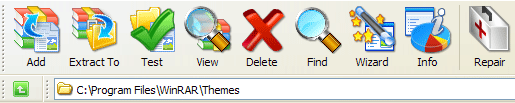
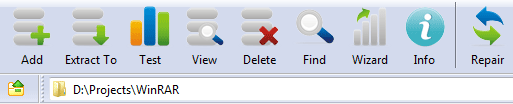
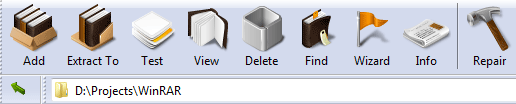
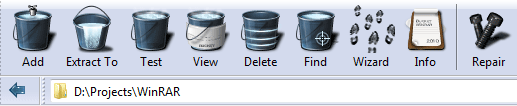
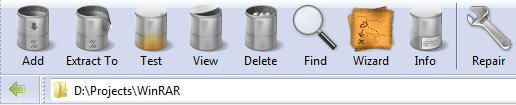
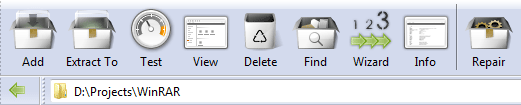
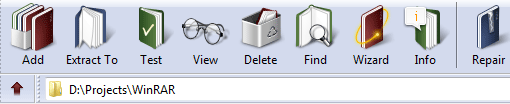
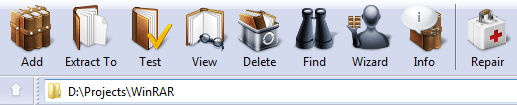
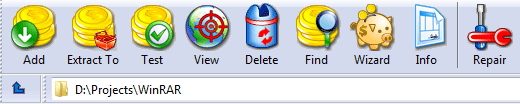
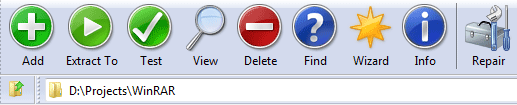
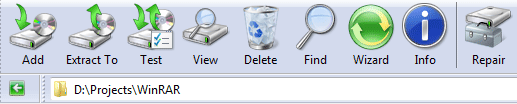
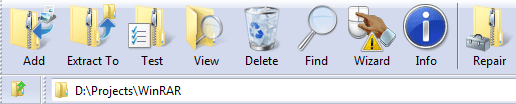
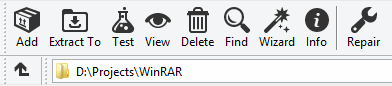
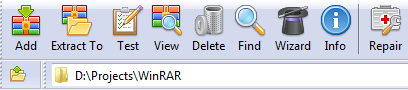
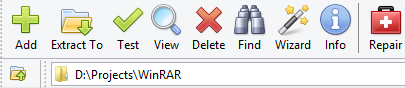
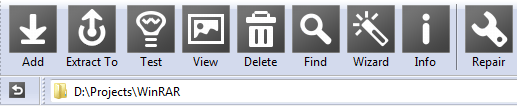
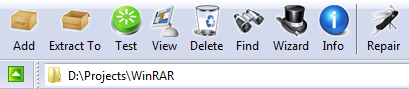
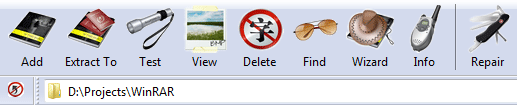
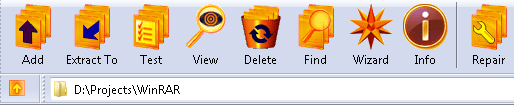
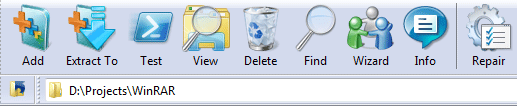
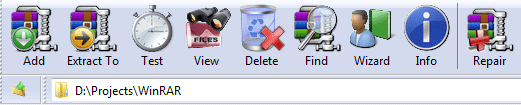
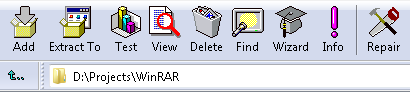
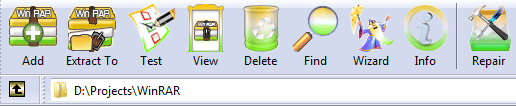
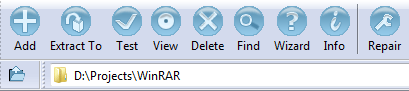
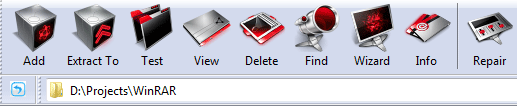
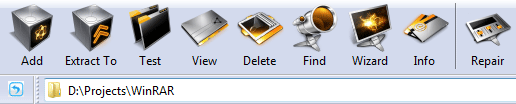
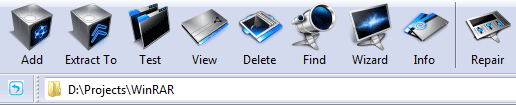
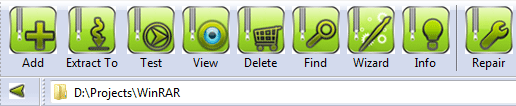
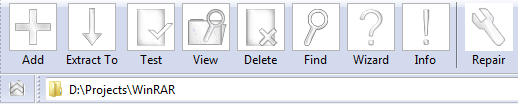
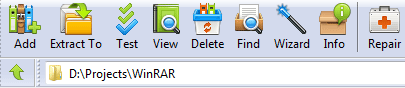
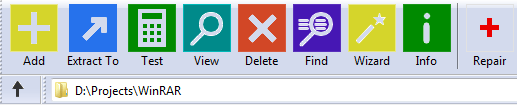
Kali ini saya akan berbagi Winrar V. 5.20 terbaru beserta theme untuk mempercantik tampilan Winrar, langsung aja comot....


Software nameUser interfaceLicenseSize   
WinRAR x86 (32 bit) 5.20Graphical and command lineFull Crack1724 KB
WinRAR x64 (64 bit) 5.20Graphical and command lineTrial1895 KB
RAR for Android on Google PlayGraphical onlyFree
RAR for Android 5.20 build 27 local copyGraphical onlyFree3251 KB
RAR 5.20 for LinuxCommand line onlyTrial1080 KB
RAR 5.20 for Linux x64Command line onlyTrial1115 KB
RAR 5.20 for FreeBSDCommand line onlyTrial1367 KB
RAR 5.20 for Mac OS XCommand line onlyTrial487 KB
Cara crack : Copy rareg.key ke C:Program File/Winrar  > replace file > Done

THEME 
RARaddin theme version 1.00 © by Sevdalina Proikova

WinRAR Jr. theme version 1.01 © by FOOOD's Icons, www.iconaholic.com

WinRAR Orbital theme version 1.00 © by Lucian Marin 2005, based on Florian Freundt art

WinRAR Smile theme version 1.00 © by Volter's Icons

  Smile WindowBlinds Theme is available here.

WinRAR GANT theme version 1.00 © by SiMoNsAyS 2005, based on Mattahan art

  Extra pack for GANT theme. Read the text file in the root archive folder for details.

WinRAR AS-Kristal theme version 1.00 © by AS-Graphics™ 2009


WinRAR JOM theme version 1.00 © by Jovan Radojevic 2005, based on Everaldo Coelho art


Delato theme version 1.01 © by PixelSharp Icons


WinRAR Gorilla theme version 1.00 © by SiMoNsAyS 2005, based on Jimmac art


WinRAR Noia Bogart theme version 1.00 © by Lucian Marin 2005, based on Carbonell Bernado art


WinRAR Buuf theme version 1.1 © by pkuwyc, based on Mattahan art


WinRAR Last Order theme version 1.0 by Lahilote Gorontalo, based on Rokey art


GnomeRAR theme by icompile


WinRAR Vista Ultimate Revamped theme by AmEagle


Vista WinRAR theme version 1.1 by Jakub


WinRAR PC.DE theme version 1.00 by PC

WinRAR MNML theme designed by BanzaiTokyo and presented by Web Hosting Hub


WinRAR Reborn theme by dReamxis


WinRAR Bucket theme by dReamxis


WinRAR Tin theme by dReamxis


WinRAR aRRis theme by dReamxis


WinRAR Imagination 3 theme by dReamxis


WinRAR Imagination V.II theme by dReamxis


Reality of WinRAR theme by Pandastudio


OrgRar theme by Pandastudio


WinRAR Pentamino 5 theme by Alexey Klimov


WinRAR Money theme by M.A.G.


Windows 7 WinRAR theme by Thomas Wilkinson


Windows 7 WinRAR theme by Breaz Mihai Florin


Windows 7 v2 WinRAR theme by Breaz Mihai Florin


Windows 8 style WinRAR theme by Adorian, based on VisualPharm's Icons 8 and CryptoWorks graphics.


Windows 8 WinRAR theme by arc8, based on: Adorian's "Windows 8 Style 26x26" theme


WinRAR Cartoon theme version 1.0 © by pkuwyc


WinRAR RefreshCL theme version 1.0 © by pkuwyc, based on TPDK art


WinRAR AquaWorld theme made by AmEagle


WinRAR Medieval theme made by AmEagle


WinRAR Alpha Dista theme made by AmEagle and DanielFlaco, based on AlphaDista icon set by DanielFlaco


WinRAR Crystal Clear theme version 1.00 made by Martin Tomaszczyk, based on Everaldo Coelho art


WinRAR Tango theme version 1.3 by Nanaki, original icons by Tango Desktop Project


WinRAR Azeri-Yazi theme version 1.70 by www.bahram.tk


WinRAR JOM 2 theme version 1.00 © by Jovan Radojevic 2005


WinRAR FatCow theme version 1.00 by FatCow Web Hosting

WinRAR Professional theme © by UpdateStar, based on Axialis art.

WinRAR MilanSoft Buttons Square Black theme © by MilanSoft

WinRAR MilanSoft Classic theme © by MilanSoft

WinRAR MilanSoft On The Road theme © by MilanSoft

WinRAR MaRado theme version 1.00 © by Marko Radojevic 2005, original icons by Miscellaneous

WinRAR Orange-Gold theme version 1.0 © by Hopachi

WinRAR XP theme version 1.02 © by XPero

WinRAR OS X theme version 1.00 © by CarlFeynman, cfn.has.it

WinRAR Lord Darksys theme version 1.01 © by Albrecht Simon, www.lord-darksys.de

WinRAR Crystal theme version 1.01 by AHJ

WinRAR Vista Mx by RyoNaKi

WinRAR Live by RyoNaKi

WinRAR Vista theme version 2.0 by Kudesnick, kudesnick.blogspot.com

WinRAR Vista theme version 1.0 © by pkuwyc

WinRAR Tulliana theme version 1.0 by Lahilote Gorontalo, based on M.Umut Pulat art

WinRAR Ka'ita-Hitam theme version 1.0 by Lahilote Gorontalo, based on Rokey art

WinRAR Senyum's theme version 1.0 by Lahilote Gorontalo, based on Rokey art

WinRAR Stalk-Lab version 1.26 theme by STALK.ER (A. Kamaev)

WinRAR 2.8/2.9 theme by Arbelon

Win7Theme v.3 by Roger Truttmann

Roger's WinRAR theme version 2.1 by Roger Truttmann

Windows 3.1 WinRAR theme v1.2 by roy_mustang

WinRAR India theme © 2010 by Outshine Solutions, www.outshinesolutions.com

WinRAR X-vision theme © 2010 by X-vision, Slava Mikheev, mikheev.biz
WinRAR DarkMatter Gamma Ray theme, © by C@NgO

WinRAR DarkMatter RedShift theme, © by C@NgO

WinRAR DarkMatter SolarFlare theme, © by C@NgO

WinRAR DarkMatter Subspace theme, © by C@NgO

WinRAR Smooth Green theme, designed by Strek

WinRAR techfacts.net theme, www.techfacts.net

WinRAR Cryo64 theme version 1.01 © by Cryo64, www.cryo64.com

WinRAR CodeHammer v4i theme by Wael El-Ghazzawi (CodeMasterVII)

WinRAR Designcontest theme by Bohdan Zograf, www.designcontest.com

WinRAR Windows 8 theme by Vitaliy Tokarev

WinRAR Windows 8 theme by Anonymous


Download Winrar 5.20 + Theme


Siapa yang tak kenal WinRAR, yaitu sebuah shareware pengarsipan dan kompresi oleh Eugene RoshalWinRAR dapat mengkompresi/memadatkan file yg ingin di kompresi hingga 40%, misalnya file A berukuran 100MB di kompresi dengan WinRAR dapat menjadi hanya Setengahnya saja (50MB) , sehingga lebih sedikit memakan Storage. 
Kali ini saya akan berbagi Winrar V. 5.20 terbaru beserta theme untuk mempercantik tampilan Winrar, langsung aja comot....


Software nameUser interfaceLicenseSize   
WinRAR x86 (32 bit) 5.20Graphical and command lineFull Crack1724 KB
WinRAR x64 (64 bit) 5.20Graphical and command lineTrial1895 KB
RAR for Android on Google PlayGraphical onlyFree
RAR for Android 5.20 build 27 local copyGraphical onlyFree3251 KB
RAR 5.20 for LinuxCommand line onlyTrial1080 KB
RAR 5.20 for Linux x64Command line onlyTrial1115 KB
RAR 5.20 for FreeBSDCommand line onlyTrial1367 KB
RAR 5.20 for Mac OS XCommand line onlyTrial487 KB
Cara crack : Copy rareg.key ke C:Program File/Winrar  > replace file > Done

THEME 
RARaddin theme version 1.00 © by Sevdalina Proikova

WinRAR Jr. theme version 1.01 © by FOOOD's Icons, www.iconaholic.com

WinRAR Orbital theme version 1.00 © by Lucian Marin 2005, based on Florian Freundt art

WinRAR Smile theme version 1.00 © by Volter's Icons

  Smile WindowBlinds Theme is available here.

WinRAR GANT theme version 1.00 © by SiMoNsAyS 2005, based on Mattahan art

  Extra pack for GANT theme. Read the text file in the root archive folder for details.

WinRAR AS-Kristal theme version 1.00 © by AS-Graphics™ 2009


WinRAR JOM theme version 1.00 © by Jovan Radojevic 2005, based on Everaldo Coelho art


Delato theme version 1.01 © by PixelSharp Icons


WinRAR Gorilla theme version 1.00 © by SiMoNsAyS 2005, based on Jimmac art


WinRAR Noia Bogart theme version 1.00 © by Lucian Marin 2005, based on Carbonell Bernado art


WinRAR Buuf theme version 1.1 © by pkuwyc, based on Mattahan art


WinRAR Last Order theme version 1.0 by Lahilote Gorontalo, based on Rokey art


GnomeRAR theme by icompile


WinRAR Vista Ultimate Revamped theme by AmEagle


Vista WinRAR theme version 1.1 by Jakub


WinRAR PC.DE theme version 1.00 by PC

WinRAR MNML theme designed by BanzaiTokyo and presented by Web Hosting Hub


WinRAR Reborn theme by dReamxis


WinRAR Bucket theme by dReamxis


WinRAR Tin theme by dReamxis


WinRAR aRRis theme by dReamxis


WinRAR Imagination 3 theme by dReamxis


WinRAR Imagination V.II theme by dReamxis


Reality of WinRAR theme by Pandastudio


OrgRar theme by Pandastudio


WinRAR Pentamino 5 theme by Alexey Klimov


WinRAR Money theme by M.A.G.


Windows 7 WinRAR theme by Thomas Wilkinson


Windows 7 WinRAR theme by Breaz Mihai Florin


Windows 7 v2 WinRAR theme by Breaz Mihai Florin


Windows 8 style WinRAR theme by Adorian, based on VisualPharm's Icons 8 and CryptoWorks graphics.


Windows 8 WinRAR theme by arc8, based on: Adorian's "Windows 8 Style 26x26" theme


WinRAR Cartoon theme version 1.0 © by pkuwyc


WinRAR RefreshCL theme version 1.0 © by pkuwyc, based on TPDK art


WinRAR AquaWorld theme made by AmEagle


WinRAR Medieval theme made by AmEagle


WinRAR Alpha Dista theme made by AmEagle and DanielFlaco, based on AlphaDista icon set by DanielFlaco


WinRAR Crystal Clear theme version 1.00 made by Martin Tomaszczyk, based on Everaldo Coelho art


WinRAR Tango theme version 1.3 by Nanaki, original icons by Tango Desktop Project


WinRAR Azeri-Yazi theme version 1.70 by www.bahram.tk


WinRAR JOM 2 theme version 1.00 © by Jovan Radojevic 2005


WinRAR FatCow theme version 1.00 by FatCow Web Hosting

WinRAR Professional theme © by UpdateStar, based on Axialis art.

WinRAR MilanSoft Buttons Square Black theme © by MilanSoft

WinRAR MilanSoft Classic theme © by MilanSoft

WinRAR MilanSoft On The Road theme © by MilanSoft

WinRAR MaRado theme version 1.00 © by Marko Radojevic 2005, original icons by Miscellaneous

WinRAR Orange-Gold theme version 1.0 © by Hopachi

WinRAR XP theme version 1.02 © by XPero

WinRAR OS X theme version 1.00 © by CarlFeynman, cfn.has.it

WinRAR Lord Darksys theme version 1.01 © by Albrecht Simon, www.lord-darksys.de

WinRAR Crystal theme version 1.01 by AHJ

WinRAR Vista Mx by RyoNaKi

WinRAR Live by RyoNaKi

WinRAR Vista theme version 2.0 by Kudesnick, kudesnick.blogspot.com

WinRAR Vista theme version 1.0 © by pkuwyc

WinRAR Tulliana theme version 1.0 by Lahilote Gorontalo, based on M.Umut Pulat art

WinRAR Ka'ita-Hitam theme version 1.0 by Lahilote Gorontalo, based on Rokey art

WinRAR Senyum's theme version 1.0 by Lahilote Gorontalo, based on Rokey art

WinRAR Stalk-Lab version 1.26 theme by STALK.ER (A. Kamaev)

WinRAR 2.8/2.9 theme by Arbelon

Win7Theme v.3 by Roger Truttmann

Roger's WinRAR theme version 2.1 by Roger Truttmann

Windows 3.1 WinRAR theme v1.2 by roy_mustang

WinRAR India theme © 2010 by Outshine Solutions, www.outshinesolutions.com

WinRAR X-vision theme © 2010 by X-vision, Slava Mikheev, mikheev.biz
WinRAR DarkMatter Gamma Ray theme, © by C@NgO

WinRAR DarkMatter RedShift theme, © by C@NgO

WinRAR DarkMatter SolarFlare theme, © by C@NgO

WinRAR DarkMatter Subspace theme, © by C@NgO

WinRAR Smooth Green theme, designed by Strek

WinRAR techfacts.net theme, www.techfacts.net

WinRAR Cryo64 theme version 1.01 © by Cryo64, www.cryo64.com

WinRAR CodeHammer v4i theme by Wael El-Ghazzawi (CodeMasterVII)

WinRAR Designcontest theme by Bohdan Zograf, www.designcontest.com

WinRAR Windows 8 theme by Vitaliy Tokarev

WinRAR Windows 8 theme by Anonymous


Posted at 6:06 PTG |  by AhdaPriatna

Followers

Blogger templates. Proudly Powered by Blogger.
back to top